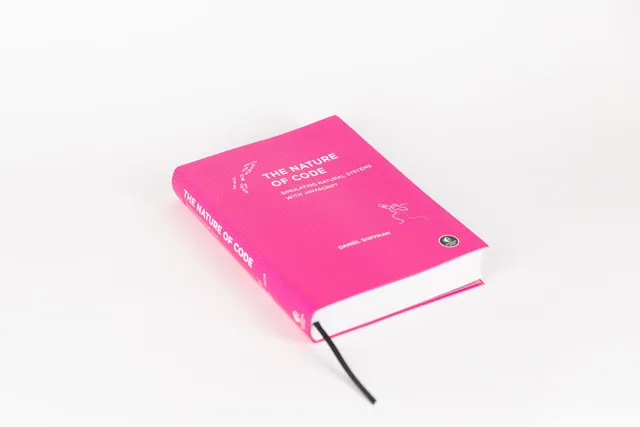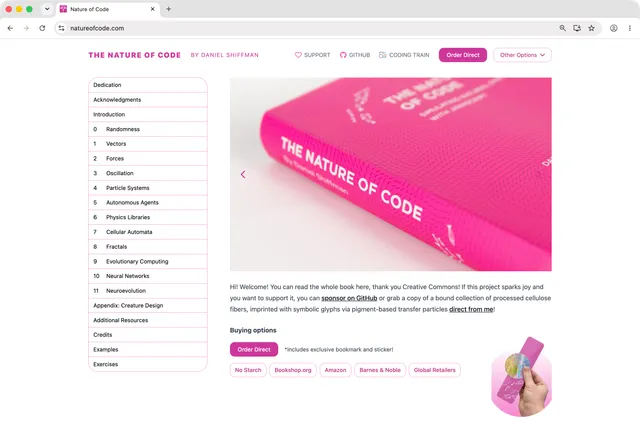
The Nature of Code is Daniel Shiffman’s guide to simulating natural systems with code. For the second edition, I worked on the editorial workflow, website, interactive examples, and print build.
The main challenge was supporting the same chapters, figures, code, and exercises on both the web and printed page. I helped connect the content sources to each build while allowing the two editions to use layouts suited to their medium.
Publishing workflow
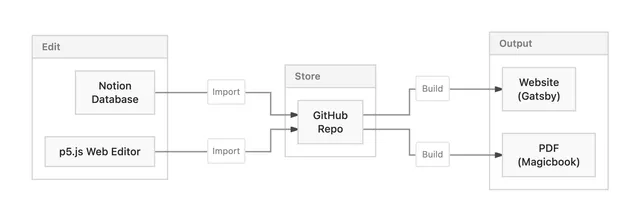
The editorial team works in Notion, while sketches are maintained in the p5.js Web Editor. I worked on an import process that brings the latest content into GitHub and opens a pull request. The generated HTML, images, and sketch files can then be reviewed and kept in version control.
The repository is used to build the Gatsby website and a PDF with Magicbook and Prince. This keeps the editing process separate from the presentation details of each format.
Website build
For the website, chapter HTML is parsed with Unified and Rehype. Custom transforms identify examples, exercises, notes, equations, video links, code annotations, and content intended for only one output format.
Gatsby’s Node APIs extract headings, page descriptions, examples, and exercises into its GraphQL data layer. Local images are processed with Gatsby Image, while custom nodes are rendered as React components. These pieces support chapter routes, tables of contents, previous-and-next links, and the example and exercise indexes.
Interactive examples
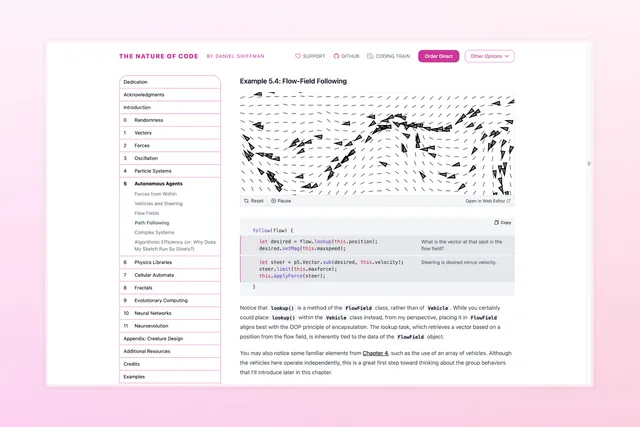
Each p5.js sketch is copied into the repository with its source files and a fallback image. A reusable component fits the canvas to the reading column, adds reset and play/pause controls, and links to the editable sketch. It also pauses sketches outside the viewport to avoid unnecessary work.
The example below uses the book’s flow-field simulation. Click the canvas to generate a new field, or focus it and press the space bar to toggle the guide lines.
PDF build
The PDF workflow uses Magicbook and Prince. I added project-specific plugins and styles for equations, chapter openings, callouts, screenshots, cross-references, page numbers, and running footers.